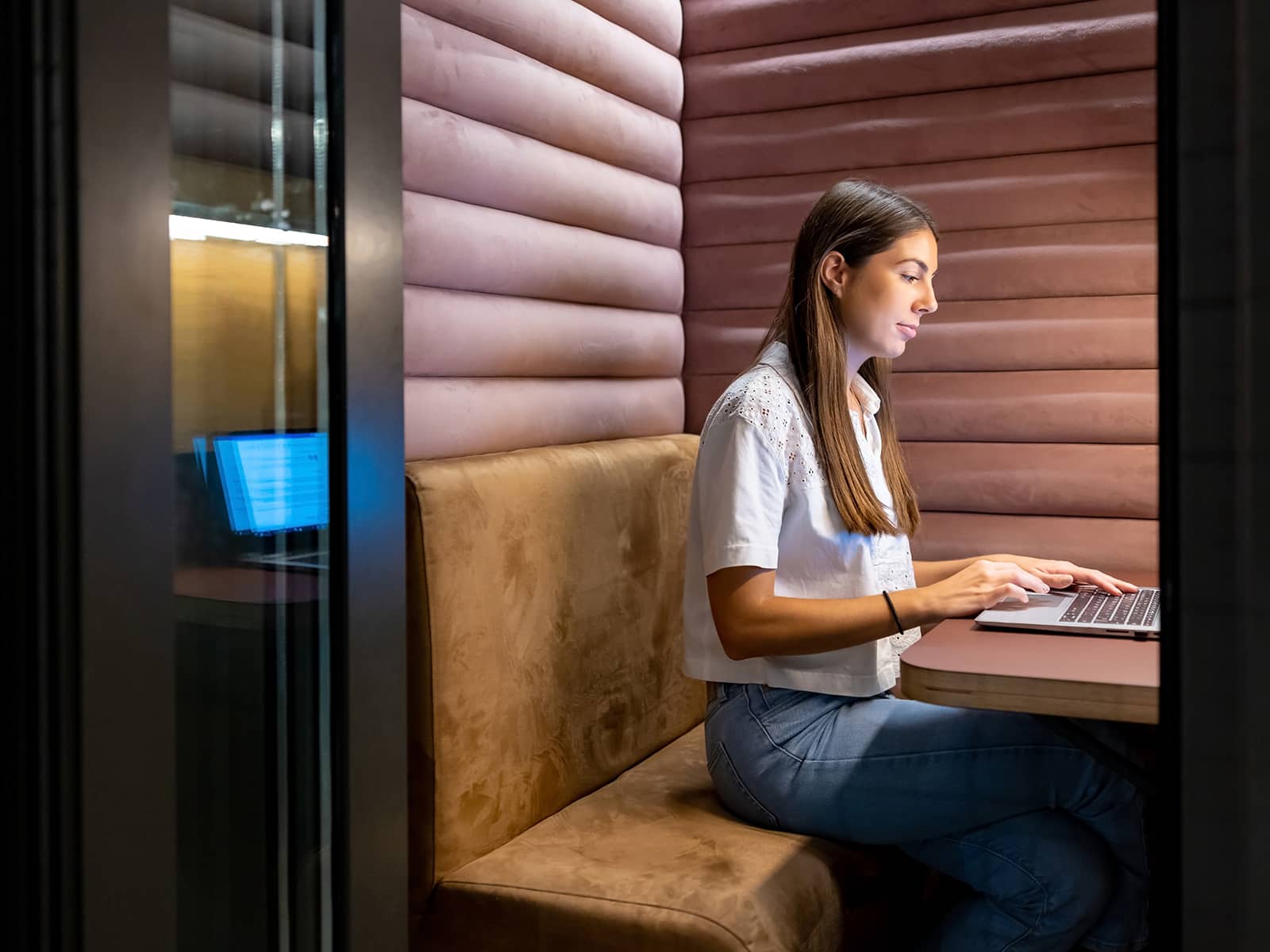
Specifying workplace power shouldn’t feel like solving a puzzle. Yet for many dealers and designers, that’s exactly what it has become.
Last year, LightCorp conducted primary research to better understand how workplace power is specified. One theme emerged almost immediately: regardless of experience level, many respondents admitted they weren’t completely confident when planning the project’s power requirements. That raised an interesting question: has workplace power really become more complicated, or have the ways people use workplaces simply changed? Our research suggests it’s the latter.
Power itself hasn’t become more difficult to specify. What has changed is the behavior of the people using today’s workplaces. The assumptions that once guided workplace planning no longer reflect how people actually work, making familiar specification strategies feel less reliable than they once did.
Why Power Planning Feels More Complicated Today
For decades, workplace power planning was relatively straightforward. Employees had assigned desks, predictable routines, and a predictable collection of equipment. Designers knew where people would work, what devices they’d use, and how long they’d occupy a space. Today’s workplace tells a very different story.
Employees move throughout the office during the day, choosing spaces that best support the task at hand. A morning might begin at an unassigned workstation, continue with several meetings, shift to a collaborative lounge for project work, and end with focused individual work in a quiet area. Hybrid work has also increased pressure on offices to support more people with less dedicated space, making flexibility more important than ever.

Technology has evolved alongside these changes. The average office worker now relies on multiple devices throughout the day, creating power needs that far exceed a simple one-outlet-per-person approach. The result is a disconnect between how workplaces are designed and how they’re really used in everyday life.
Too often, power is planned around furniture layouts or room names instead of the behaviors those spaces are intended to support. Two spaces may look nearly identical on a floor plan yet have completely different power requirements because people use them differently. Once we recognize that distinction, power planning becomes much less about selecting products and much more about understanding people.
LightCorp’s Behavior-Based Power Framework
If workplace behavior has changed, then our approach to specifying power should evolve as well. Rather than asking, “What type of space is this?” a more useful question is, “How will people actually use this space?”
Behavior, not furniture, room names, or floor plans, is the most reliable predictor of workplace power needs. Before specifying power in your next project, ask three simple questions:
- How long? (Duration): How long will someone typically occupy the space? Will they be there for a few minutes, a one-hour meeting, or an entire workday?
- What do they use? (Setup Intensity): What technology will they use while they’re there? A phone and laptop require very different support than multiple monitors, docking stations, task lighting, or other desktop equipment.
- How many users? (Ownership)Is the space intended for a single dedicated user, or will many people share it throughout the day?
Together, these three questions form LightCorp’s Behavior-Based Power Framework, helping designers and dealers specify workplace power based on how people behave rather than simply where they sit.
By mapping duration and setup intensity, four common workplace behavior profiles begin to emerge: Anchor, Participate, Linger, and Settle. Ownership then helps determine how much power should be provided within each of those behavior types.
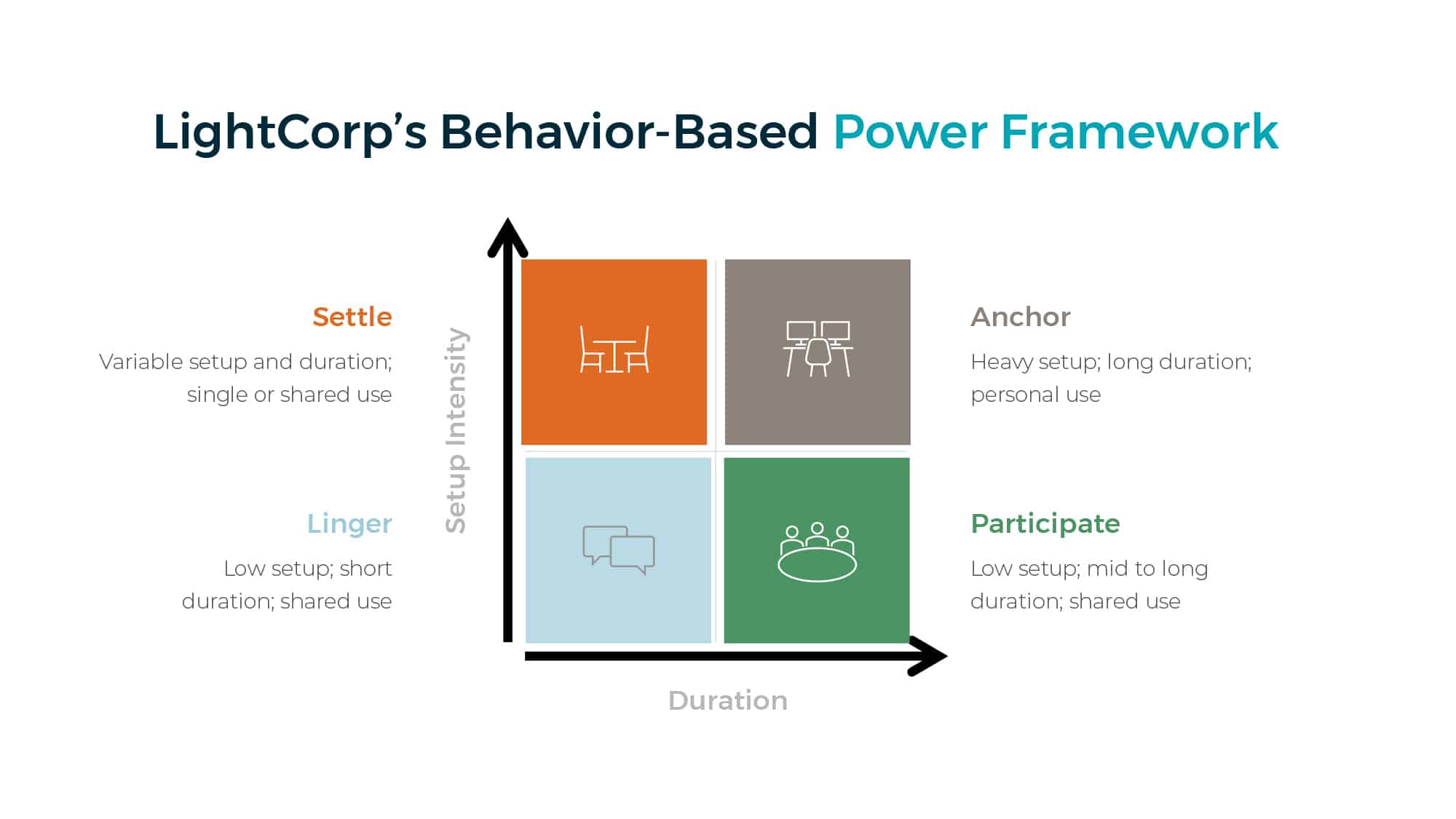
These categories aren’t intended to replace traditional workplace planning. Instead, they provide another lens for understanding how people interact with the workplace. Once behavior becomes the starting point, specifying power becomes far more intentional, consistent, and easier to scale across an entire project.
Applying the Framework

Anchor Spaces: Prioritize capacity and reliability
Anchor spaces support focused, individual work over long periods, think private offices, assigned workstations, and dedicated desks. These users typically run several devices throughout the day and expect power to be there without a second thought, so these spaces need to be equipped for a complete technology setup, not just charging.
A generous supply of AC outlets should remain the foundation of the specification. Desktop monitors, docking stations, printers, task lighting, and other workplace equipment still rely on traditional AC power, and that’s not likely to change even as USB-C adoption grows. Alongside that AC power, provide both USB-C and USB-A charging: USB-C has become the preferred standard for laptops, tablets, and smartphones thanks to faster charging and higher power delivery, while USB-A keeps legacy peripherals and accessories running without extra adapters.
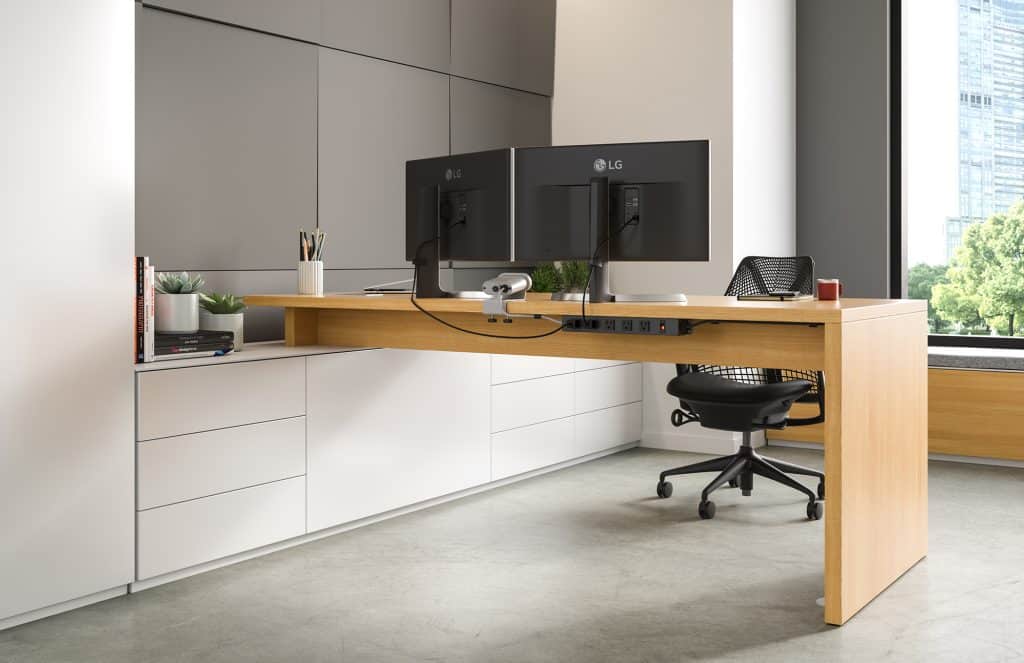
The most common mistake in Anchor spaces is assuming USB-C replaces AC. Charging devices is only part of the equation; people still need to power the workstation itself, along with any extras, such as fans, space heaters, or extra lighting, all of which require AC power.

Participate Spaces: Make power shared, visible, and equitable.
Participate spaces are designed around collaboration; conference rooms, meeting rooms, and collaborative tables all fall into this category. Users may not need much personal equipment, but everyone should have convenient access to power throughout the meeting. Unlike Anchor spaces, the goal here isn’t to maximize one person’s workstation; it’s to ensure every participant can stay connected without competing for access.
Power should be distributed evenly across the table or shared work surface, so every seat offers the same convenience. In most meeting environments, a thoughtful combination of AC outlets and USB-C charging provides the greatest flexibility: AC for laptops and presentation equipment, USB-C for the growing number of devices that can charge directly through it. USB-A matters less here, since users typically aren’t connecting multiple peripherals during meetings, though it can still help in mixed-technology environments.
The biggest pitfall is creating “good seats” and “bad seats.” Most of us have arrived early just to claim the chair closest to an outlet. Good power planning eliminates that friction so everyone has equal access, no matter where they sit.
 Linger Spaces: Keep it simple, visible, and effortless.
Linger spaces support brief, unplanned moments of productivity, lobbies, cafés, social spaces, waiting areas, and hospitality zones that give people a chance to recharge themselves or their devices between meetings or while moving through the workplace. Because these visits are short, convenience matters more than capacity.
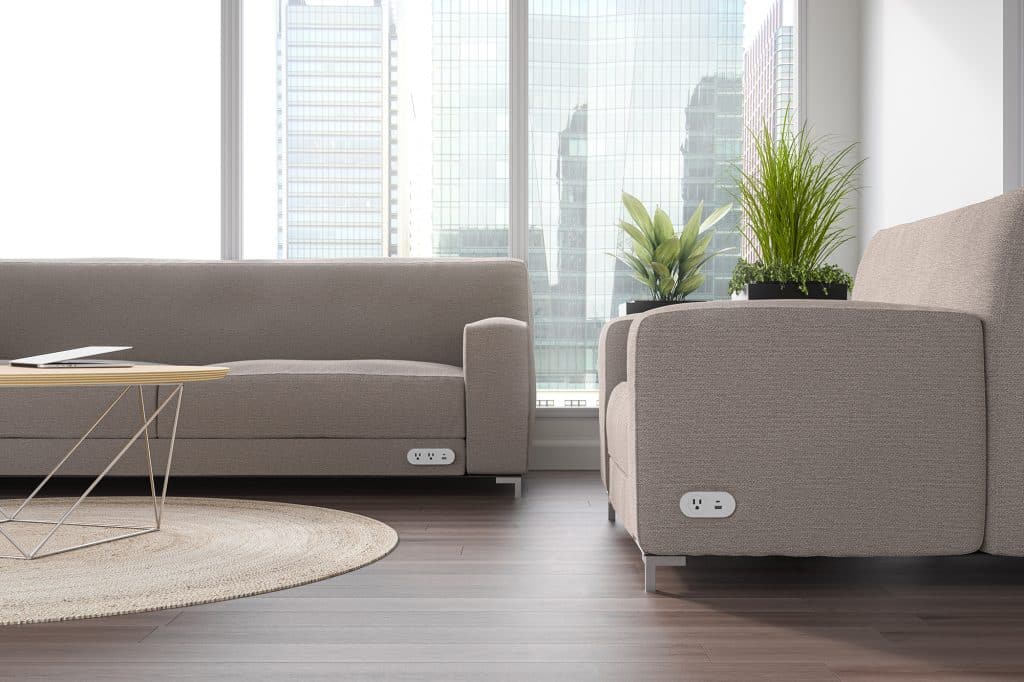
USB-C charging is the best fit for most of these environments. It’s fast and convenient for today’s phones, tablets, and many laptops, so nobody has to dig out a bulky power adapter just to top off a battery before their next meeting. A limited number of AC outlets can round things out for traditional laptop chargers, but AC shouldn’t dominate the spec; the goal is to keep charging quick and intuitive.
The biggest mistake isn’t picking the wrong power type. It’s making power too hard to find. Charging solutions hidden beneath furniture or blended too seamlessly into the environment often go unused, so in Linger spaces, visibility matters just as much as functionality.

Settle Spaces: Design for flexibility.
Settle spaces are among the most adaptable environments in today’s workplace: touchdown spaces, agile worktables, library settings, collaborative commons, and unassigned workstations that might host someone checking email for fifteen minutes, or someone working there all day. That variability makes these spaces uniquely challenging to plan for.
Rather than designing for the average user, it’s often better to plan for the most demanding reasonable use case. One occupant may just need to charge a phone, while the next connects a laptop, multiple monitors, and several accessories, and later that same space might support a small team working together. That’s why Settle spaces benefit from the broadest range of power options: a balanced mix of AC and USB-C for flexibility and workstation-level productivity, plus USB-A where organizations still rely on legacy accessories. Since these spaces often support multiple occupants throughout the day, power should be distributed so no one is competing for outlets.
The most common mistake is assuming temporary occupancy means low power demand. Many unassigned workspaces end up as someone’s primary office for the day, and designing them with only minimal charging leaves them under-equipped for workstation-level productivity.
Understanding Today’s Power Options
One of the most common questions designers ask is when to specify AC outlets versus USB-C or USB-A. While every project is unique, a few general principles can help guide those decisions.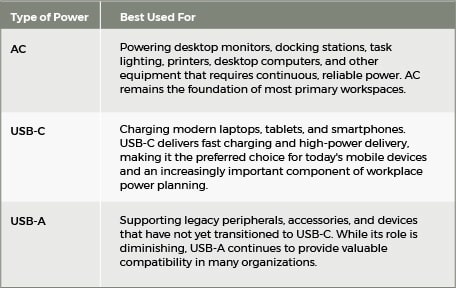
In many workplace settings, the best solution isn’t choosing one power type over another. It’s creating the right combination for the behaviors the space is intended to support.
Designing for the Way People Work
The workplace will continue to evolve. New technologies will emerge, work patterns will shift, and the spaces we design today will almost certainly be used differently tomorrow. That’s exactly why behavior provides such a valuable foundation for power planning.
Furniture layouts, room names, and floor plans provide important context, but they don’t tell the whole story. Two spaces with identical footprints can have dramatically different power requirements simply because the people using them behave differently. When we begin by understanding those behaviors, power decisions become clearer, more consistent, and easier to scale across an entire project.
LightCorp’s Behavior-Based Power Framework isn’t intended to replace traditional workplace planning. Instead, it complements it by adding a human-centered perspective that helps designers and dealers anticipate how people will use a space, not simply how it appears on a floor plan. The result is a workplace that feels intuitive to its users. Users spend less time searching for outlets, competing for charging access, or adapting their work around a space’s limitations. Instead, power becomes what it should have been all along: a seamless part of the workplace experience.
Ultimately, great workplace power isn’t about providing more outlets or more charging ports. It’s about providing the right power, in the right place, for the way people work. When we stop designing power around spaces and start designing it around human behavior, specifying power becomes simpler, more consistent, and more intentional. In doing so, we create workplaces that are not only better equipped for today’s employees but also adaptable enough to support whatever comes next.