
The placement of the power source shapes how well a workstation supports daily work. When power isn't within reach, people stop what they're doing to hunt for an outlet or wait to charge a device. Desk power modules can fix that by putting outlets and charging ports right on, below, or within the work surface.
The same table can host a full day of solo, device-heavy work one week and a quick team huddle the next, and each setup calls for different power needs. Picking the right module comes down to the work happening at that desk: how long someone's there, how many devices they're running, and how many people share it.
The sections below walk through common desk areas, what drives the spec in each, and how to zero in on the right module for a project.
Power at the Desk: Why Proximity Matters
Desk power modules work best when placed within arm's reach of where tasks happen. The distance between a workstation and its power source adds friction to routine tasks like charging or connecting devices. Desk power modules address this problem, and the following points outline how proximity affects daily workflow.
- Fewer Interruptions. Having power within reach keeps workers from leaving their desks
justto find an outlet. - Efficient Use of Floor Space. Adding desk power modules removes the need for separate strips or extension cords running along the floor.
- Simplified Desk Rearrangement. Selecting the right desk power modules makes it easier to adapt workstations as office floor plans change, without adding outlets or wiring.
- Consistent Access Across Shifts. Shared or rotating workstations benefit from power that stays in the same spot for every user. Workers can sit down and connect without searching for an outlet or adjusting furniture between shifts.
How Desk Power Modules Impact Different Spaces
Good power planning starts with how a space actually gets used, not just what type of space it is. Designing power around how people work, how long they stay, how many devices they run, and how many people share the surface determines whether a space actually meets users' needs. Here's how those factors typically play out:
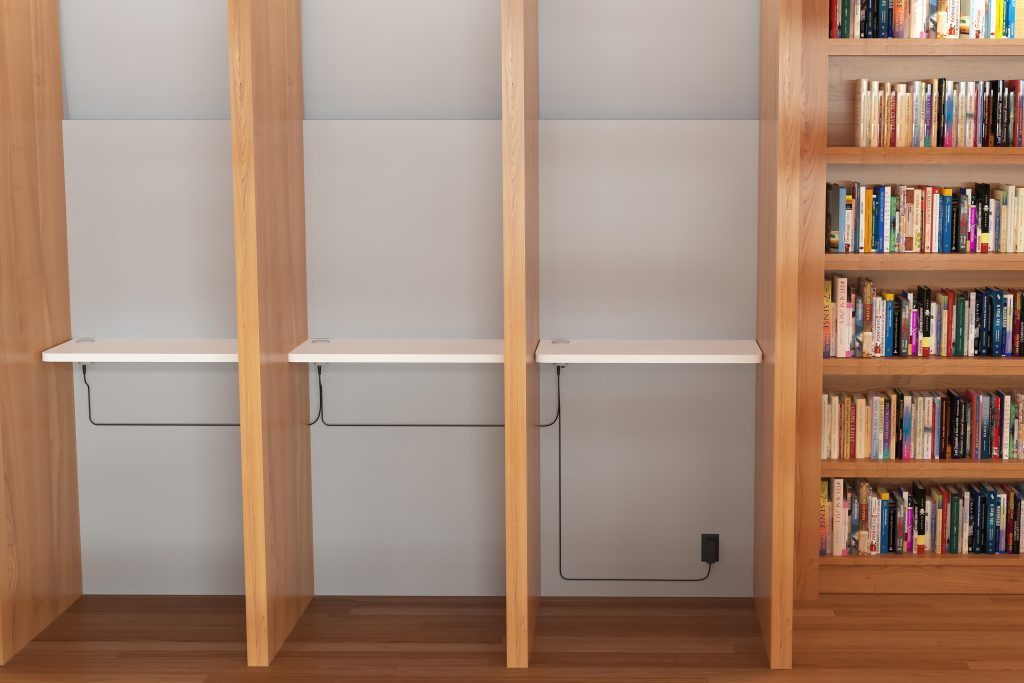
- Private Offices. A single occupant often runs several devices at once, so the space needs outlets for full workstation gear like a monitor or docking station, plus charging access for a phone or laptop. Desks used only occasionally still need AC power as a baseline, with charging ports added based on the devices users are likely to bring.
- Benching Areas. Multiple people share one long surface, each needing their own power access, so distribute outlets evenly enough to support a full setup at any seat. How much power each seat needs still depends on what's actually running there.
- Conference Rooms. Conference tables may support anything from a quick call needing
justa charging boost to a multi-hour session running laptops and a projector, so planning for the heavier use case keeps outlets ready either way. - Shared or Rotating Desks. Different people may use the same desk throughout the week, sometimes to charge a phone or sometimes to run a full laptop-and-monitor setup, so it needs both charging ports and outlets ready regardless of who sits down.
Types of Desk Power Modules
Desk power modules provide power through a mix of AC outlets and USB charging, each suited to different equipment and use. The following breakdown outlines each power type and what it's built to support:
- AC Outlets. Still the backbone for anything beyond a quick charge. These include monitors, docking stations, printers, and task lighting, all of which run on standard AC power. A desk supporting a full workstation setup needs this as a baseline, not an add-on.
- USB-C Charging. The fastest, most versatile option for laptops, tablets, and phones, especially where higher power delivery matters. It's quickly become the default for personal devices, but it doesn't replace AC power for anything beyond charging.
- USB-A Charging. Covers older devices and accessories that haven't moved to USB-C, keeping them running without extra adapters. Useful anywhere legacy hardware is still part of the daily setup.
Most desks do better with a mix of these than just one, matched to what's plugged in today and flexible enough to support what gets added later.
Choosing the Right Power Module
Selecting the right desk power module depends on several project-specific factors. Details like desk construction and connectivity requirements shape the best fit. The following factors help narrow the options to the right fit for any project.
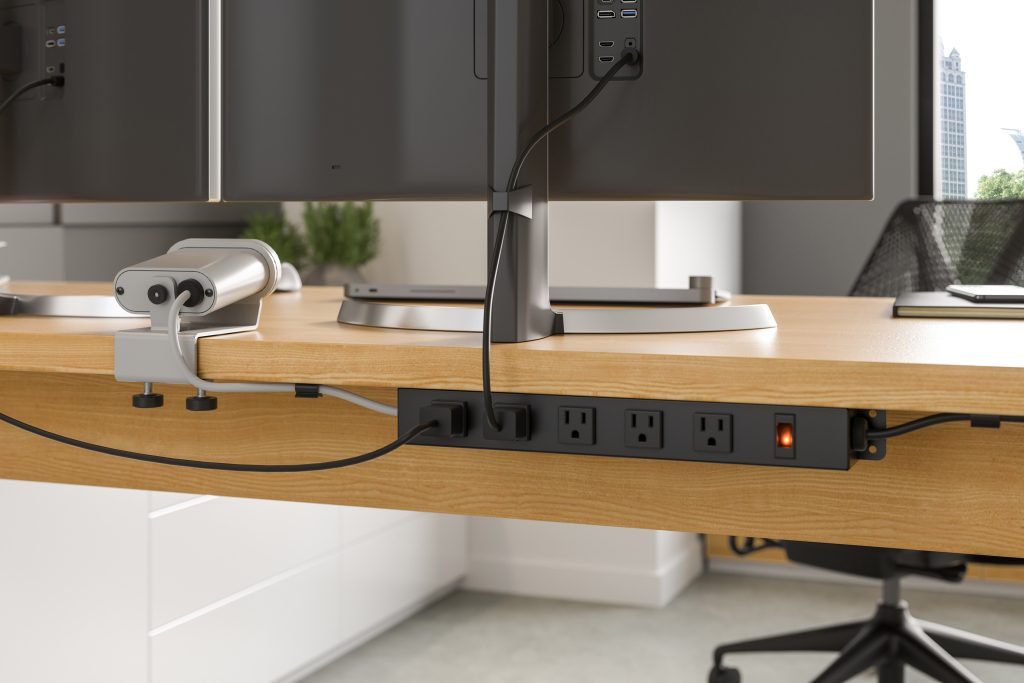
- Duration of Use. A desk used for a full workday needs built-in power as standard, while one used for short, occasional stretches can get by with less. Matching capacity to actual time spent at the desk avoids over- or under-equipping it.
- Port and Outlet Needs. How many people use the desk and how many devices each one runs determine how many outlets and charging ports it actually needs. Matching port count to real use avoids paying for unused capacity.
- Desk Material and Thickness. Recessed and under-mount modules require sufficient material depth for secure installation. Checking desk specs early prevents delays or mismatched hardware later in the project.
- Frequency of Change. Spaces that get reconfigured often benefit from portable strips and clamp-mounted units over fixed mounting. Flexible commercial power solutions can make it easier to adapt power access as workplace layouts change. Fixed installs work best for desks that stay in the same place long-term.
- Lead Time and Availability. Faster turnaround keeps projects on schedule, especially when power specs get finalized late in the process. Confirming availability early reduces the risk of holding up an entire installation.
Each factor narrows the list of suitable desk power modules for a given project. Evaluating material, ports, and frequency of change together prevents costly adjustments after installation.
Explore LightCorp Power Solutions
Choosing the right desk power modules comes down to matching duration, equipment, and the spaceis intended use. Getting this decision right keeps workstations functional and power within reach for every user. The result is a workspace built to support daily tasks without unnecessary friction.
At LightCorp, we design and manufacture desk power modules built for commercial spaces, from private offices to shared workstations. Our lineup covers on-surface, under-mount, in-surface, and portable options, backed by a standard 10-day lead time. Contact our team to find the right power module for your next project.